Nengine · a brand system as a tool
Nucleus has no internal design team and no budget for ongoing production. I knew that when I built the brand, so I built it as a formula: a visual language with fixed rules and a small set of variables.
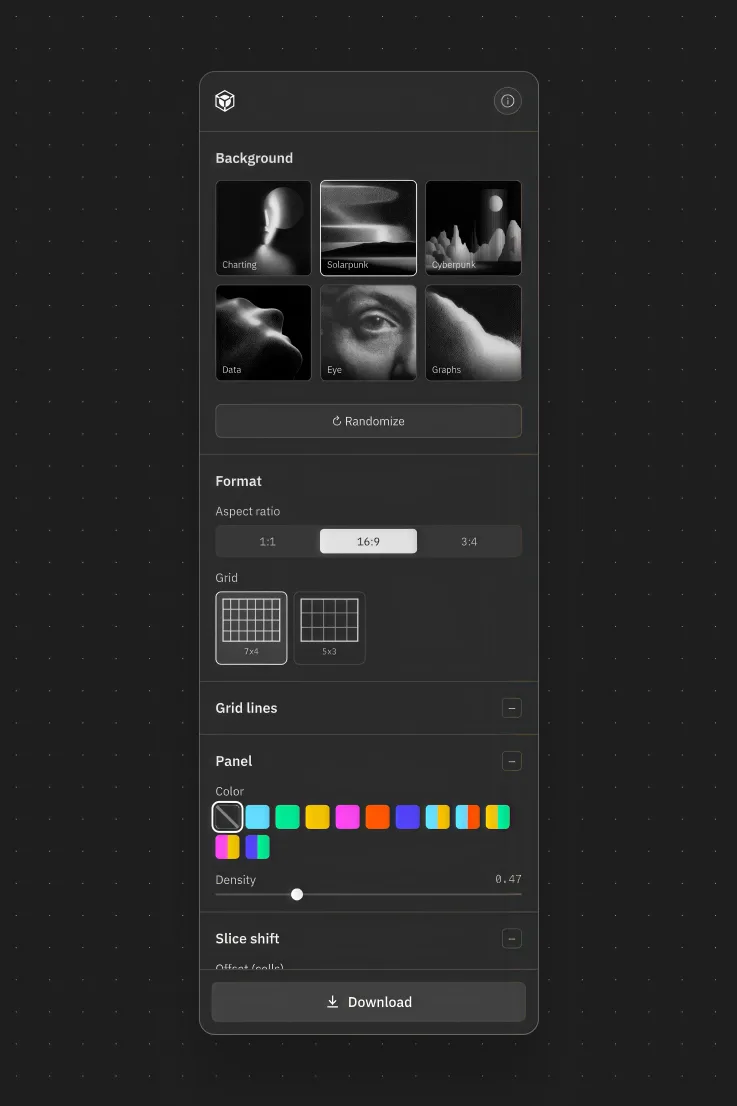
When the team came back needing marketing assets ahead of launch, that decision paid off. Instead of producing a one-off batch, I built Nengine, a generative tool that turns the formula into controls. Background, color, text, grid, format. The brand system is the product.
The framework
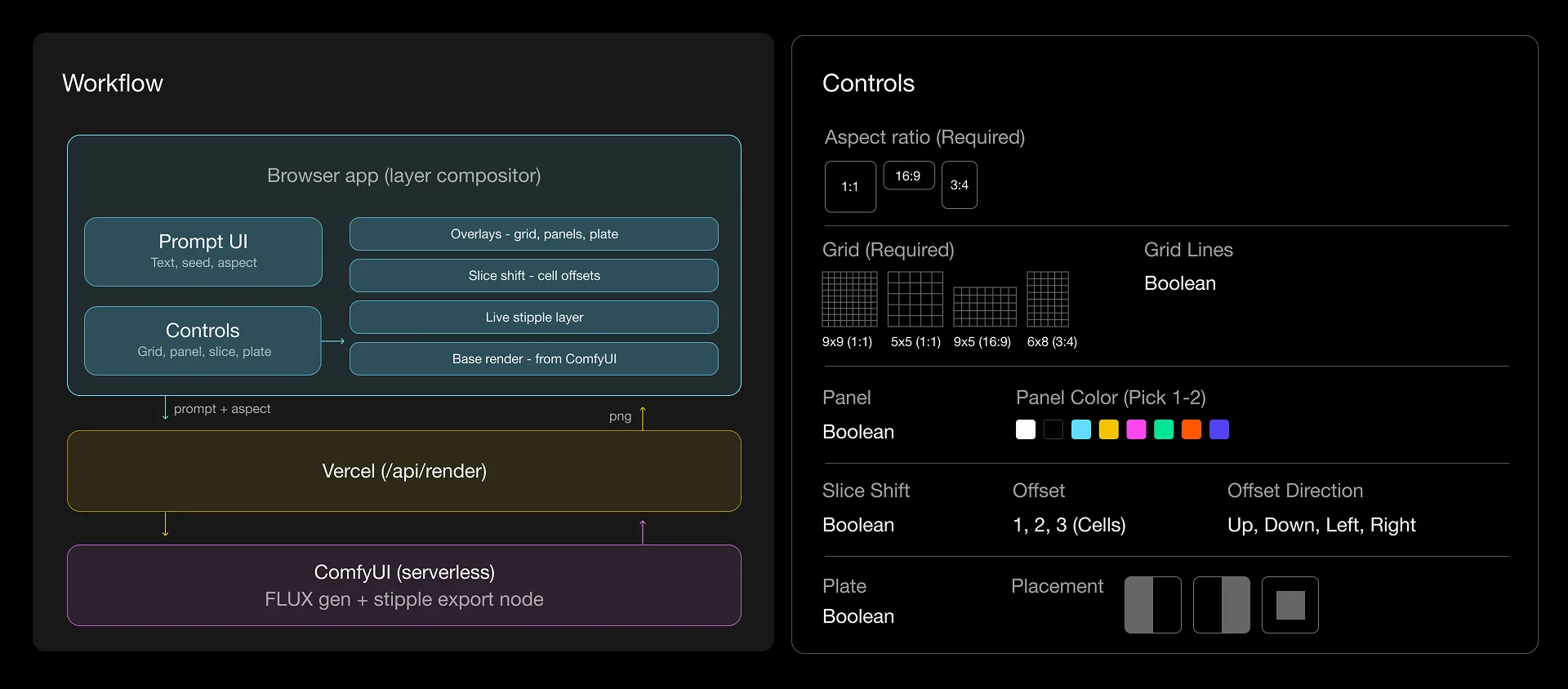
Every control in Nengine maps to a content requirement or a rule in the brand system. If a variable did not need to move, it did not become a control. That is what keeps the output on-brand no matter who is driving it.
The architecture follows the same logic. The background is the only part that needs generating, so FLUX handles it server-side. The rest of the composition is deterministic, so it runs as live layers in the browser: grid, panels, slice shift, plate.
Current controls: aspect ratio, grid, panels with two color options, slice and offset direction, a plate for copy and CTA, animation, and export to JPG or video.
Build and setup
Same constraints as the brand: no budget, no team. So the tool is one person's build, running for free.
I wrote it end to end with Claude Code and host it on Vercel. The first release ships with a library of stipple backgrounds generated in Midjourney through a custom profile, which keeps every output inside the brand's visual range.
The widget above is a lite version that generates a composition automatically. Click “Generate new artifact” to try it.
Conclusion
Tools like this give clients a way to produce on-brand work without internal design resources. Nengine is a deliberately narrow example. The same approach scales to far more complex visual systems.
Features not present in this version: content-aware layering, where the tool reads a composition on the fly and makes placement decisions (keeping a box off someone's face). Adaptive copy, where text holds to legibility or brand metrics and adjusts when it falls outside them. The pipeline and specs for a live ComfyUI generative profile. Deeper animation controls.